- Players can host a Hytale multiplayer world directly in-game by enabling Online Play and sharing the join code with friends.
- If players cannot connect, the issue is usually UPnP or port forwarding settings on the router.
- Dedicated servers offer more control and stability but require extra setup or paid hosting.
Building your own world in Hytale and sharing it with friends sounds intimidating, but it does not have to be. Hytale is built for multiplayer gameplay, where exploration, survival, and the excitement of PVE feel better with familiar faces along for the ride. In this guide, learn how to create servers in Hytale and play online multiplayer with friends.
How to Create a Hytale Server In-Game
Hytale supports server creation directly in the game. Given that Hytale is not on console, the process only focuses on PC-related steps. Below are the steps to create an online multiplayer world in Hytale to play with friends:
- Load into your single-player world.
- Press ESC to open the pause menu.
- Click Online Play.
- Toggle Allow Other Players to Join to ON.
- Click Save and copy the share code.
- You restrict access by setting a password.

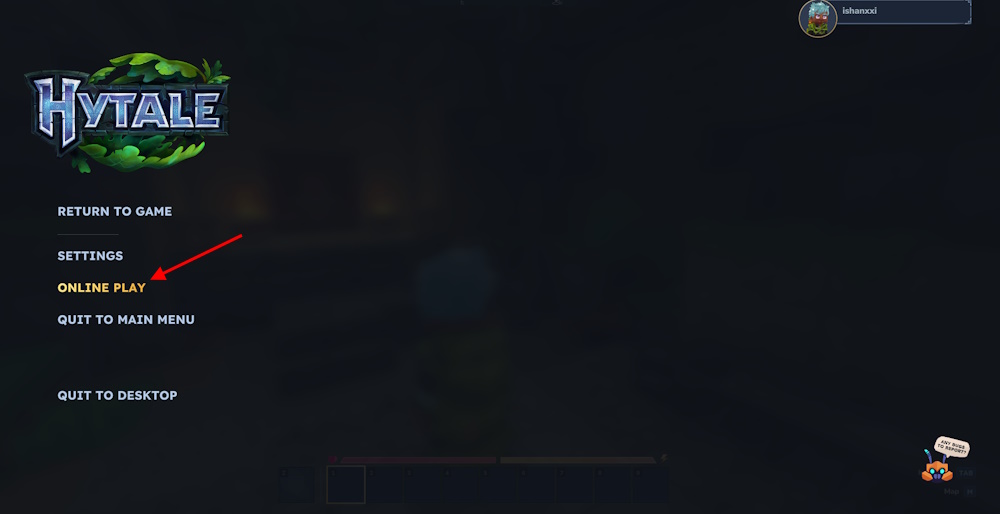

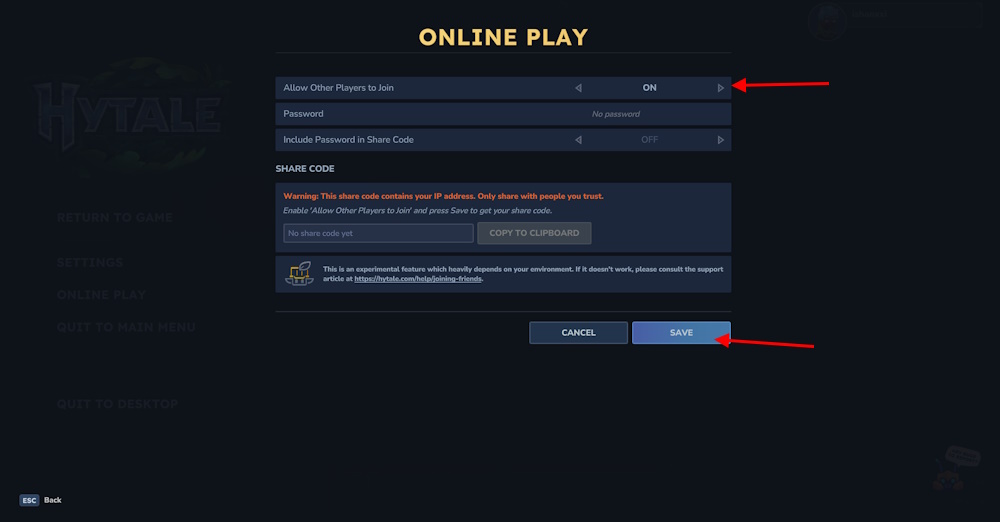
When hosting a world, there are certain things to remember, too. If your network type is not UPnP, these steps will not work. You can do manual port forwarding to fix it. Logging into the router admin panel and enabling UPnP can fix the issue as well. Remember, the code you copy to the clipboard includes your IP address, so share it with trusted people.
Alternatively, you can refer to the Hytale Server manual to create a dedicated server. However, doing so will require certain downloads and tweaking. If you are not running a higher configuration PC, avoid creating a server as it requires high CPU and RAM usage.
How to Join Hytale Server via Code
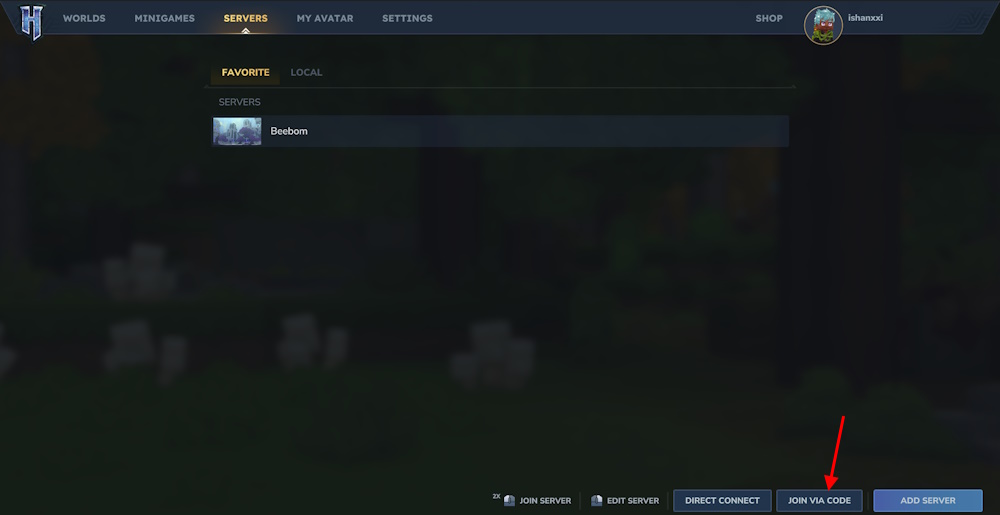
Once you have made the Hytale world, ask your friend to follow these steps below to join the server:
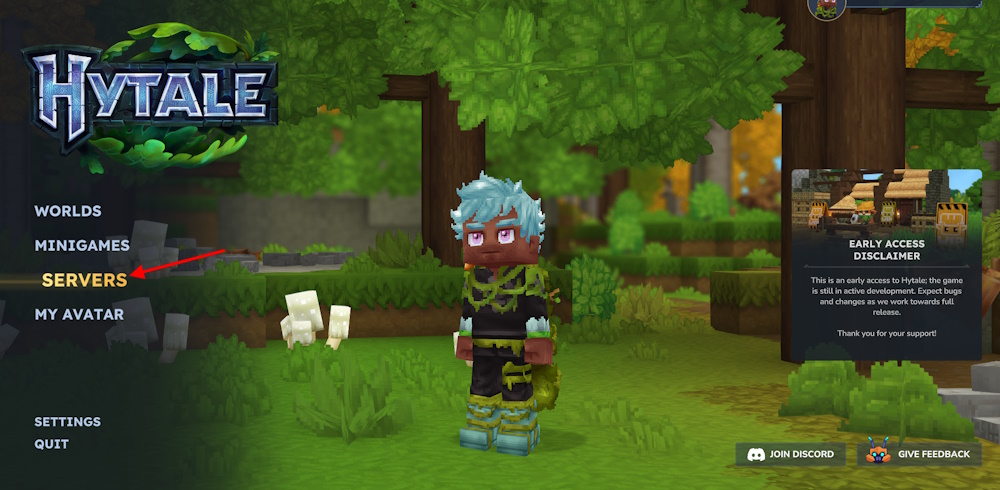
- From the main menu, go to Servers.
- Click Join via Code and paste the share code.
- Enter the password if required and not embedded.
- Click Connect to enter the world.


How to Use Dedicated Hytale Servers
To use dedicated servers in Hytale, you can either create one from scratch using scripting or purchase one online. There are multiple options on the internet available for Hytale server hosting. Apex hosting is one of the trusted ones to go for.
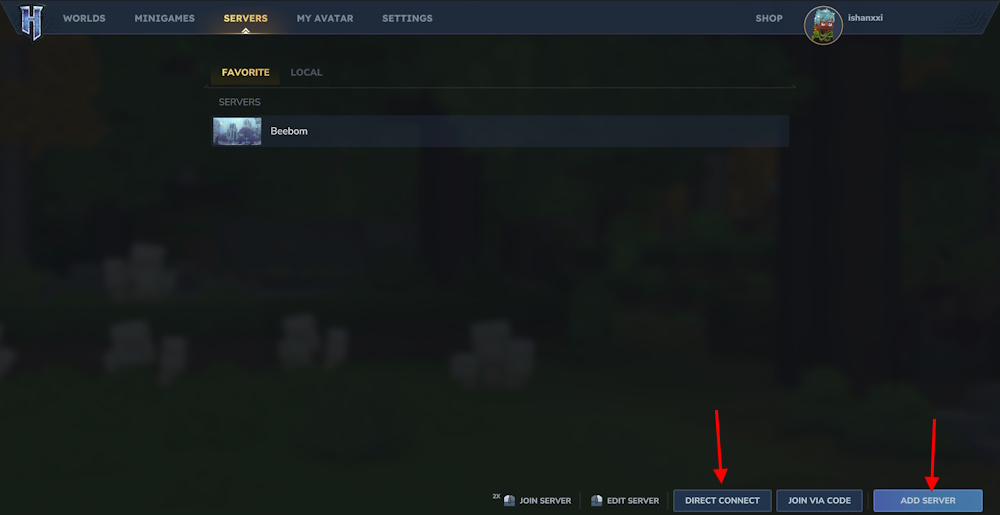
Once done, you can follow the steps below to join the Hytale dedicated server:
- Go to the Servers section and click DIRECT CONNECT.
- Now paste the IP and port, then join to connect.
- You can also click ADD SERVER and save the world by naming it.
That is how you can create servers in Hytale and join friends to play online multiplayer. This unlocks more possibilities for the multiplayer gameplay and further proves which is better in the Hytale vs Minecraft comparison.
Yes. Hytale lets you host a multiplayer world directly from your single-player save using Online Play, which is the easiest option for playing with friends.
This usually happens if UPnP is disabled on your network or your router blocks ports. Enabling UPnP or setting up manual port forwarding should fix the issue.