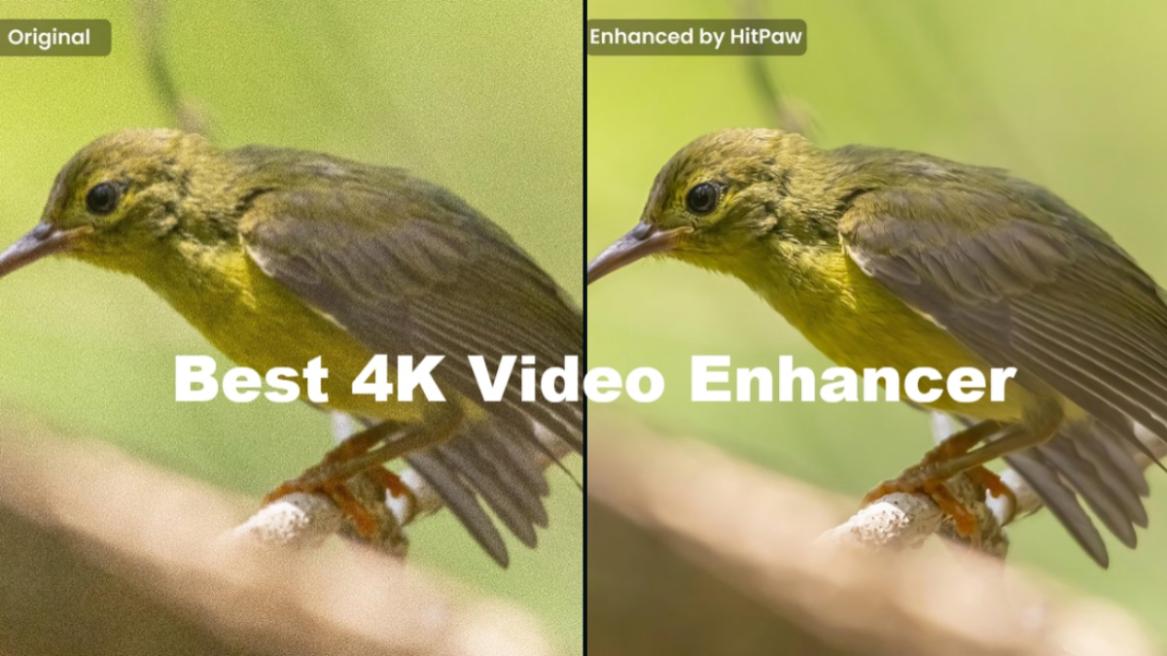
Video quality expectations have changed drastically over the years. What looked good at 720p back in the day looks soft and blurry on modern screens. So your old videos don’t appear so clean, and this is what begs the need for an AI enhancer tool. Now, there are plenty of options to pick from, some of which I tested previously. But this time, I tried out HitPaw’s VikPea video enhancement tool, and after spending some time using it, I think it might be the best AI video enhancer out there.
Which AI Video Enhancer is the Best?
To answer which AI video enhancer is the best, I must help you understand the key characteristics of a good video enhancer tool. It must improve resolution without over-sharpening the image, intelligently reduce noise and artifacts, especially in low light conditions, and upscale low light video content to higher resolution.
And guess what? HitPaw VikPea does all of that, without requiring any manual effort from the user. HitPaw has managed to make it possible by collaborating with Comfy to integrate its AI technology directly into creator workflows. This brings professional-grade image and video enhancement tools within creative platforms like VikPea. You can learn more about it here.
This collaboration also highlights how AI-driven tools are becoming an essential part of content creation these days, offering higher-quality results with less manual effort. You just upload the video, select the improvement you are looking for, and click Export. The AI handles the rest for you. This simplicity of use and the quality of its results are what led me to consider it as one of the best AI video enhancer tools out there. Let’s take a look at how to install it.
HitPaw VikPea: Installation, Set Up, and UI Overview
Let me start with the installation process of HitPaw VikPea. It was quite straightforward to begin with. You just go to the HitPaw VikPea website, choose between Windows or macOS, and click the Try it Free button. From there, it is just a matter of unzipping the file and following the setup wizard. Once that is done, the software launches quickly without unnecessary steps.
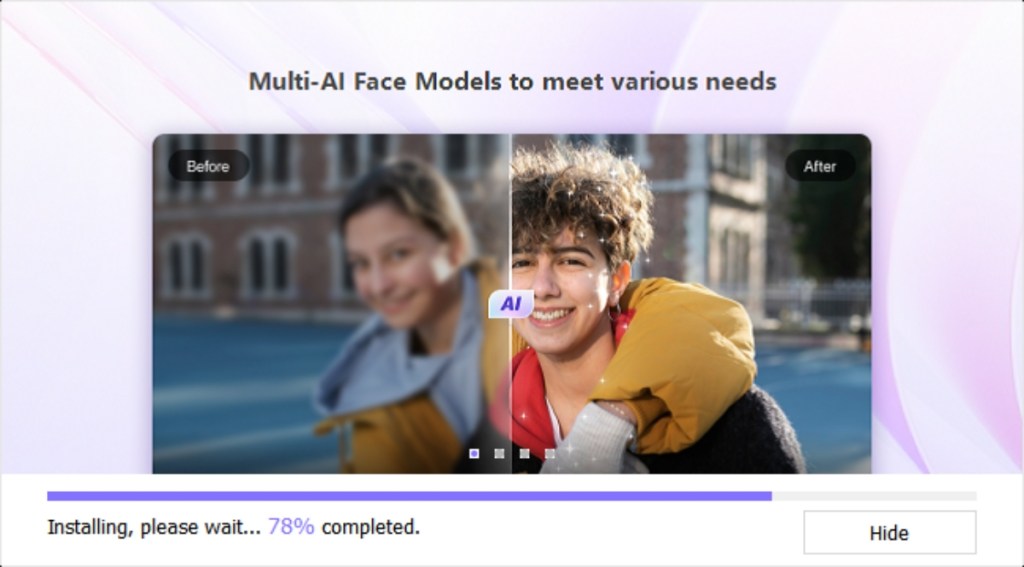
As for the interface, it is clean and minimal. You don’t need to be a video editing expert to get a grip of the environment. Everything is perfectly labelled and accessible from the sidebar. I quickly got a grasp of the entire VikPea tool within 10 minutes of using it.
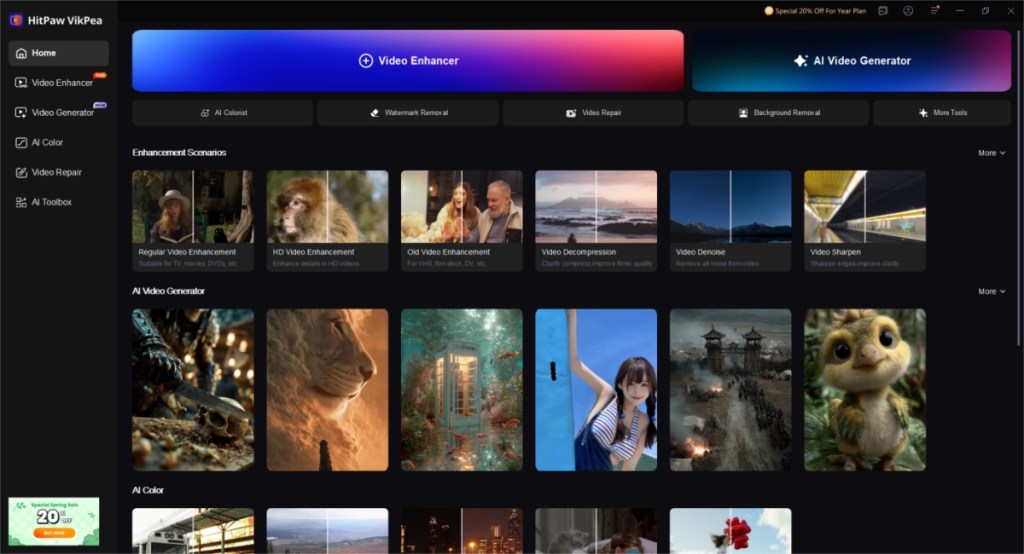
The workflow is equally simple. You select from any of the provided AI tools > import the video, select the AI model > choose the output resolution > hit Preview. It shows a small 3 to 5-second clip. To see the entire result, click on Export. This workflow follows almost all VikPea’s tools. The simplicity is helpful for beginners, but I wish there were a pro mode for advanced users.
Key Features of HitPaw VikPea Video Enhancer
Now that we have glanced at the installation and workflow, let me discuss some of the standout features of HitPaw VikPea video enhancer.
- AI Upscaling increases the resolution up to 4K while maintaining clarity
- AI Video Generator can create serene visuals using the best AI video generating models
- De-noising and Artifact Reduction cleans up grainy and compressed footage
- AI Frame Rate Interpolation smoothens choppy videos and increases FPS
- Color and Tonal Adjustments automatically improve the video’s color and contrast
- Batch Processing allows you to process multiple videos at once, saving you time
- It also features dedicated Anime and Game recording enhancements, too
- System support for popular platforms, including Windows, Mac, Android, and iOS
- Other noteworthy features are video repair, watermark remover, background remover, frame interpolation, stabilization, and more.
The HitPaw VikPea AI Models
What differentiates HitPaw VikPea’s video enhancements is its library of AI models that are tailored for various types of footage. This is why it can offer such impeccable results, as no one model fits all situations. Let me discuss some of its highlight models.
General Model
First, I tried out the General model, which is the most versatile of the three. It works wonders for enhancing, restoring, upscaling, and improving most videos. Whether it is an old clip you copied from a CD, or a low-resolution video from social media apps.
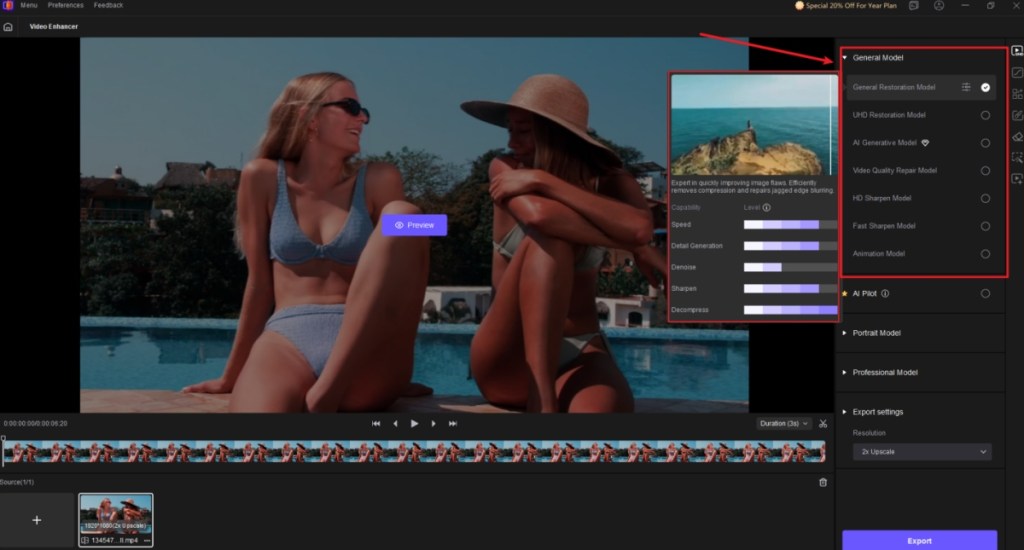
I tried out a few videos recorded during my editor’s wedding, and it really improved the quality. The recorded footage from my iPhone 13 looked pretty dull, but VikPea’s AI video enhancer improved it quite a lot. The difference is quite noticeable, especially when you see it side by side.
Portrait Model
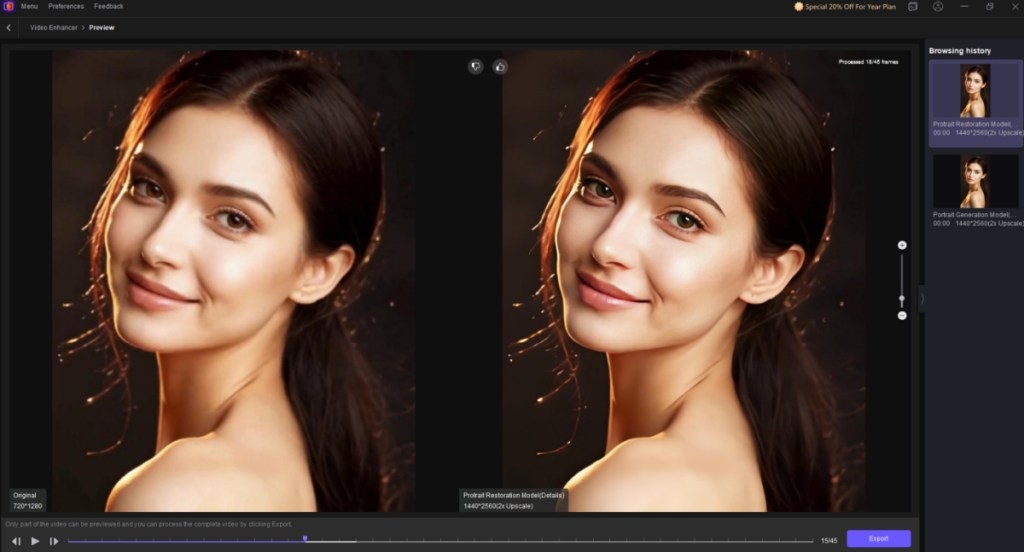
Then I tried out the Portrait model, which is suited for vlogs, selfie videos, or any clip that includes a face. This model focuses on facial details, skin texture, and edge refinement. So I uploaded another clip, and the results did not disappoint. The footage looked much better than what I captured. It also avoids the waxy look that some AI enhancers introduce, which is a big win.
Professional Model
Finally, there’s the Professional model. This is best suited for heavily compressed videos. Probably the ones recorded by your grandparents. I found that it is the best model for restoring such videos, as it delivers improved reconstruction of old or damaged footage with the help of AI. At the same time, it enhances fine details and textures, without over-sharpening the video.
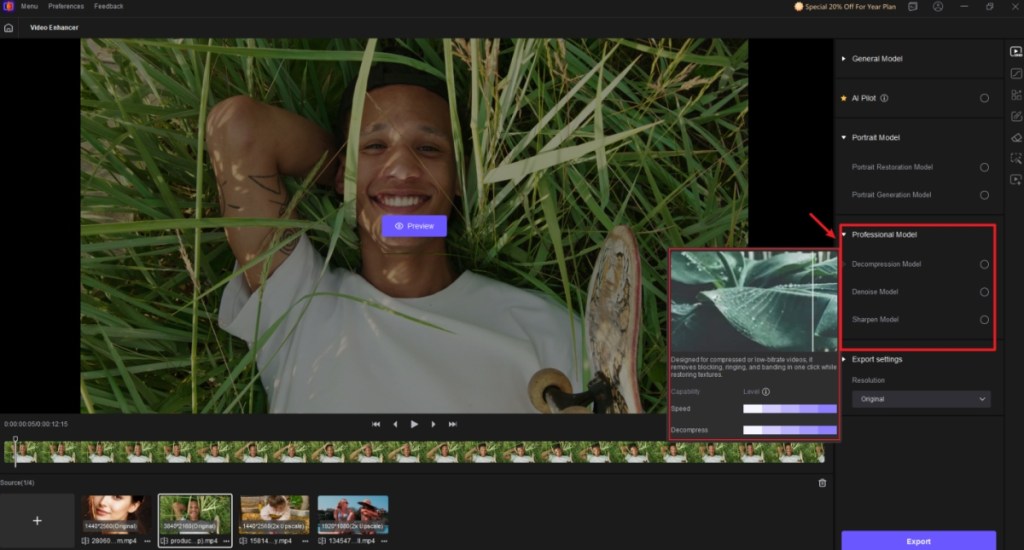
Now, I tested it with another video I shot with my first smartphone, almost 12 years back. It won’t be a surprise to say that the output was astounding. It really improved the video quality, which was 480p to begin with. Made it look cleaner and more high definition.
Results and Real-World Applications
In real-world testing, HitPaw VikPea performs consistently well compared to heavier AI tools out there. This is all thanks to its video enhancer API and cloud-accelerated rendering, which delivers up to 4x faster outputs than other AI video enhancers out there. And you get almost 90% of the result with far less effort.
| Video Enhancer Tools | Features | Output Quality |
|---|---|---|
| HitPaw VikPea AI Video Enhancer | AI upscaling to 4K+, smart de-noising, artifact and background removal, detail enhancements, batch processing, purpose specific AI models, cloud accelerated rendering, easy to use workflow | Very clean and natural improvements to the video, authentic looking results, superior quality, few visible artifacts, better consistency and 4x faster exports |
| Topaz Video AI | Supports 4K upscaling, artifact reduction, detail and edge refinements, batch editing and motion smoothening | Good upscales with preserved textures, maintains authentic details, over smoothens the skin, making it look artificial and exports take longer |
| AVCLabs Video Enhancer | AI upscaling, noise reduction, color and contrast enhancement, batch processing and support for popular formats | Produces decent improvements, but results often feel softer with haloing effects around edges, fine details don’t look good |
| Aiarty Video Enhancer | 4k upscaling, de-noises videos, face detail enhancements, color correction, user-friendly presets | Delivers cleaner footage but the results are inconsistent, over smoothens edges which results in loss of details, final output looks “processed” instead of natural |
Old low-resolution clips look sharper, noisy night footage becomes clearer, and compressed videos regain lost details. This makes HitPaw VikPea an ideal choice for novice users who want an AI video enhancer to touch up their old videos. Even content creators can use it to improve their footage. What impressed me the most was that the results feel natural, without any unrealistic sharpness.
HitPaw VikPea: Pricing
HitPaw VikPea offers a free trial, allowing you to test its capabilities before committing. Paid plans unlock full exports, higher resolutions, and batch processing. Considering the feature set and ease of use, the paid plans seem like the best option to go with. Here is a breakdown of HitPaw VikPea’s various plans and their pricing.
| HitPaw VikPea Plans | Pricing |
|---|---|
| 7-day Free Trial | Free |
| Monthly | $69.99 |
| Annual | $109.99 |
| Perpetual License | $349.99 |
If you ask me, I would say try out the tool first, and if you happen to enjoy it as much as I did, get the Perpetual license.
Final Verdict: HitPaw VikPea Is the Best AI Video Enhancer
All in all, HitPaw VikPea is a well-rounded AI video enhancer that offers simplicity without sacrificing results. It may not replace advanced professional tools, but for most users who are looking to restore old videos, it delivers exactly what’s needed — a cleaner, sharper, and improved video. If you want a minimal video enhancer that works well out of the box and doesn’t overwhelm you, HitPaw VikPea is an easy recommendation.









 Anshuman Jain