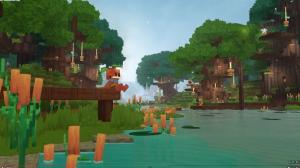
- Players can switch between first and third person in Hytale by pressing the V key at any time.
- Players can set third person as their default spawn camera from the settings menu.
- Third person is better for exploration, while first person works best in combat.
When you jump into Hytale, the first thing you will notice is the first-person POV. While that gives the game an RPG edge, some players who are fans of sandbox survival games like Minecraft find the third-person camera more suitable. Don’t worry, it is as easy as chopping the first tree in the game. In this guide, learn how to use the third-person camera in Hytale to play in TPP.
How to Switch Third Person Camera in Hytale
There are two ways to change the camera in Hytale from first person to third person. Below are both the methods to do it:
1. Switch Camera In-Game
While in the game, you can change the camera view right away. Click the ‘V’ button to switch the camera POV. So, if you are in a first person camera, click the ‘V’ key to switch to third person. You can change this keybind from the settings.
2. Change Spawn Camera View
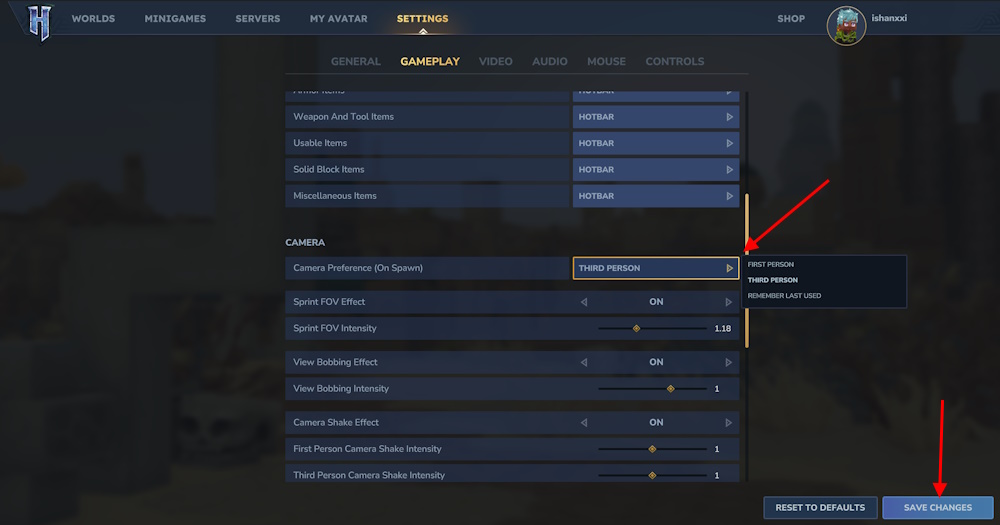
If you want to spawn with the third person camera, change it in Settings. To do so, follow these steps:
- Create or join a Hytale server and load into a world.
- Click ESC and select the Settings button.
- Scroll down and toggle Camera Preference (On Spawn).
- Select the THIRD PERSON option and click Save Changes.

Hytale Third Person vs First Person: Which One Is Better?
Now that you know how to switch camera view in Hytale, the question is, which one is better? Well, it depends on which situation you are in. If you are exploring a big area where you do not want to miss any chests or loot, go for the third person camera. It will help you have more vision on the world around you.
If you are in an underworld area or in a combat situation, the first person camera is best in Hytale. It lets you aim better and react to enemy attacks easily. Just make sure you are not surrounded by many. The first person camera is more challenging in that case.
That is how you can play Hytale in third person camera view. Which camera POV do you prefer? Tell us in the comments.
Yes. You can swap camera views instantly in game by pressing the V key, and you can also change the keybind from the settings menu.
Third person offers better awareness while exploring and looting, while first person is stronger for combat and precise aiming.