
- Wildlight Entertainment has released the first major update for Highguard with the 1.0.4 update.
- The update brings a new 5v5 mode and a new base layout.
- The developers have also added QoL changes with the new update, including an FOV slider on consoles.
Highguard has been making noise among players since its release last week, with Wildlight Entertainment already releasing a full-fledged roadmap for Highguard in 2026. Despite the game coming out on January 26, 2026, Wildlight has already released the first major patch for Highguard, bringing a ton of changes and additions that directly tackle core criticisms from players.
While there are no new Highguard Wardens or weapons, his new update brings a brand new limited-time mode, alongside many Quality-of-Life changes that could have an impact on the Highguard experience. Here’s everything new that has been added with the Highguard 1.0.4 update.
Highguard Update 1.0.4 Full Patch Notes
5v5 Mode

One of the frequent criticisms during launch week was that the maps in Highguard, despite being intricately designed, felt empty in the game’s standard 3v3 format. Addressing this, Wildlight has introduced an Experimental 5v5 game mode. This new mode serves as a separate queue that is designed to test out how more players in a match would impact the game’s infrastructure while also providing a more chaotic experience. With the addition of the increased player count, Wildlight has also increased Raid lives from 6 to 10 and slightly increased respawn timers.
Console FOV Sliders
FOV Sliders are a staple of any online shooter nowadays, and with the Highguard 1.0.4 update, console players can finally adjust their peripheral vision. The locked FOV was a major pain point for players at launch. Now, console players can crank their FOV slider up to 110, which allows for much better situational awareness when scouting the Highguard Shieldbreaker locations and getting into a fight out in the open.
New Base Construct: Soul Well
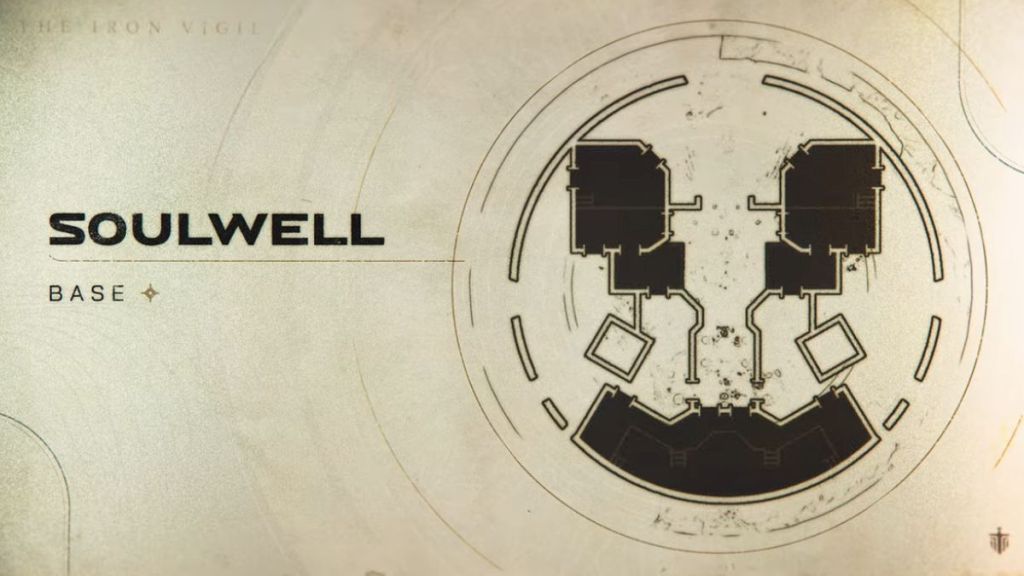
Wildlight has also introduced a new base construct with the Highguard 1.0.4 update called the Soul Well. The base is described as a “dark relic from a lost age,” and has been added to the rotation for all modes. This new base offers a unique layout compared to the standard bases, making for more tactical raids and fortification strategies.
Input Toggles for ADS and Crouch
With the release of the Highguard 1.0.4 update, players on all platforms can now switch Crouch to a Toggle rather than a “Hold” only setting. PC players will also have the option to set Aim Down Sights (ADS) to Toggle. While these are certainly helpful, the developers have warned that this could be disorienting for controller players, leading to the Toggle ADS being a PC-exclusive feature for now.
Advanced Video & Performance Scaling
Beyond the new mode and input improvements, the Highguard 1.0.4 update also adds individual toggles for the following settings:
- Chromatic Aberration
- Bloom
- Anisotropic Materials
Players on lower-end hardware also have an option to change their “View Distance Quality” setting. This can be invaluable for players who want to reduce the load on their CPU and GPU. Additionally, PC players using DLSS can now choose between specific presets to fine-tune their upscaling experience.
The developers have also added an option for players to turn Global Illumination to “Off” while also making it so that setting shadows to “Low” will automatically disable Volumetric Fog. These additions will be extremely helpful for a lot of players, especially if they have a hard time meeting the recommended system requirements for Highguard.
That’s everything for the Highguard 1.0.4 update patch notes. Will you be jumping into the new 5v5 mode in Highguard? Let us know in the comments below!
