Jumping into Sailor Piece without knowing the controls is a quick way to get wiped out in your first real fight. You do not want to enter a boss fight without knowing how to trigger your abilities. Here is a clear breakdown of Sailor Piece keybinds and controls for PC, mobile, PlayStation, and Xbox.
Sailor Piece Keybinds and Controls for PC (Keyboard & Mouse)
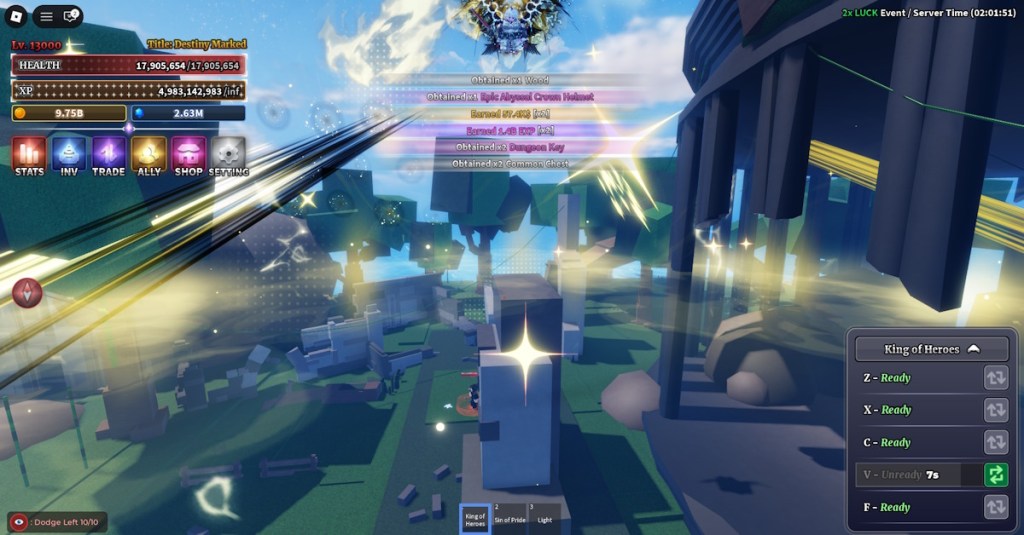
To play Sailor Piece on PC, you can use a keyboard and mouse. The mouse works for navigation, with the right-click serving as a camera panner. That said, here are the full Sailor Piece keyboard controls and how the keybinds work on a PC:
Action Keybind Movement WASD or Arrow Keys Attack Left Mouse Click Dash Q Toggle Sprint Ctrl Skill 1 Z Skill 2 X Skill 3 C Skill 4 V Skill 5 (Ultimate) F Armament Haki G Observation Haki H Conqueror Haki J Drop Fruit Equip fruit, then Backspace Shift Lock Shift Fruit, Melee, Sword 1, 2, 3 (changeable)

Sailor Piece Keybinds and Controls for Mobile (Android and iOS)
Playing any Roblox game on mobile can feel quite limited, and Sailor Piece is no stranger to it. However, if you are good with iOS or Android devices, the controls for Sailor Piece are straightforward.
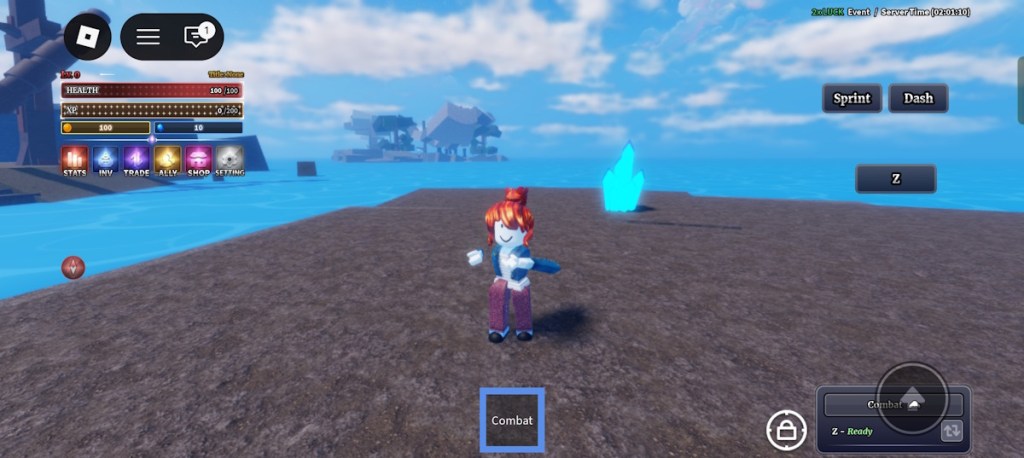
So, whether you are farming items in Sailor Piece or fighting the bosses, here are the full Sailor Piece controls and keybinds for mobile devices:
Action How to Perform Move Character Drag the left-side joystick on the screen Jump Tap the jump arrow on the right side Toggle Shift Lock Use the lock button at the bottom of the screen Sprint Tap the sprint toggle button Dash Press the dash button Use Observation Haki Tap the Observation (Obs) button Use Armament Haki Tap the Haki button Use Conqueror Haki Tap the Conqueror (Conq) button Basic Attack Tap anywhere on the screen Use Abilities Click the buttons below the sprint button

Sailor Piece Keybinds and Controls for Console (PS & Xbox)
Sailor Piece controls on the consoles are straightforward as well. Below we have listed all the keybinds for Sailor Piece on different consoles.
Sailor Piece Controls Xbox
The Sailor Piece keybinds are fixed for all Xbox versions. Here are the Xbox Series X and S controls for Sailor Piece:
Action Button / Input Move Character Left Joystick Basic Attack RT Dash LT Skill 1 X Skill 2 Y Skill 3 B Skill 4 Up Arrow (D-Pad) Skill 5 (Ultimate) Right Arrow (D-Pad) Use Armament Haki Down Arrow (Tap) Use Observation Haki Down Arrow (Double Tap) Use Conqueror Haki Down Arrow (Hold)
Sailor Piece Controls PlayStation
Whether you are using PlayStation 4 or PS5, Sailor Piece keybinds are the same across all versions. Here are the PlayStation 5 and PS4 controls for Sailor Piece:
Action Button / Input Move Character Left Joystick Basic Attack R2 Dash L2 Skill 1 Square Skill 2 Triangle Skill 3 Circle Skill 4 Up Arrow (D-Pad) Skill 5 (Ultimate) Right Arrow (D-Pad) Use Armament Haki Down Arrow (Tap) Use Observation Haki Down Arrow (Double Tap) Use Conqueror Haki Down Arrow (Hold)
That is the complete Sailor Piece controls and keybinds for all devices. Which device are you using to enter Sea 2 of Sailor Piece? Let us know in the comments.
Click the left Ctrl button to toggle sprint in Sailor Piece.
No, there are no in-game control-changing options. However, you can adjust some Roblox settings to change controls.