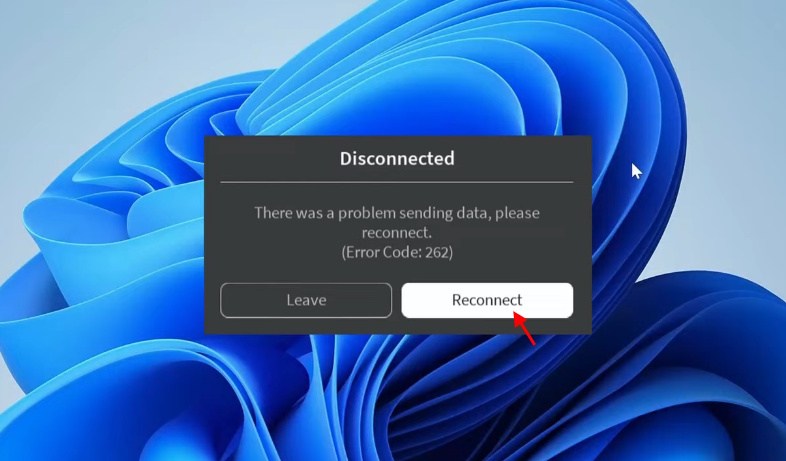
Roblox error code 262 is a common issue that appears with the message, “There was a problem sending data, please reconnect.” It usually points to a connection problem between your device and Roblox, along with some minor issues. In this guide, learn how to fix Roblox error code 262 in every possible way.
How to Fix Roblox Error Code 262
There are plenty of Roblox error codes that end up creating problems launching the client. These are not the usual Roblox game codes you can enter for free rewards.
Instead, issues like error code 262 arise when there are server issues, corrupted files, browser extensions, or an unstable network. Here are the ways you can fix Roblox error code 262:
Reconnect to Roblox
The first thing you should try is clicking the Reconnect button shown with the error. If Roblox reconnects successfully and you can return to the experience, the problem was likely temporary. If reconnecting does not work, continue with the fixes below.
Check Your Internet Connection
Make sure your PC is connected to the internet and that your connection is stable. Roblox says connection problems can prevent experiences from loading or cause players to disconnect from servers.
Try restarting your router and reconnecting to your network. You can also switch to an Ethernet connection if you are using WiFi.
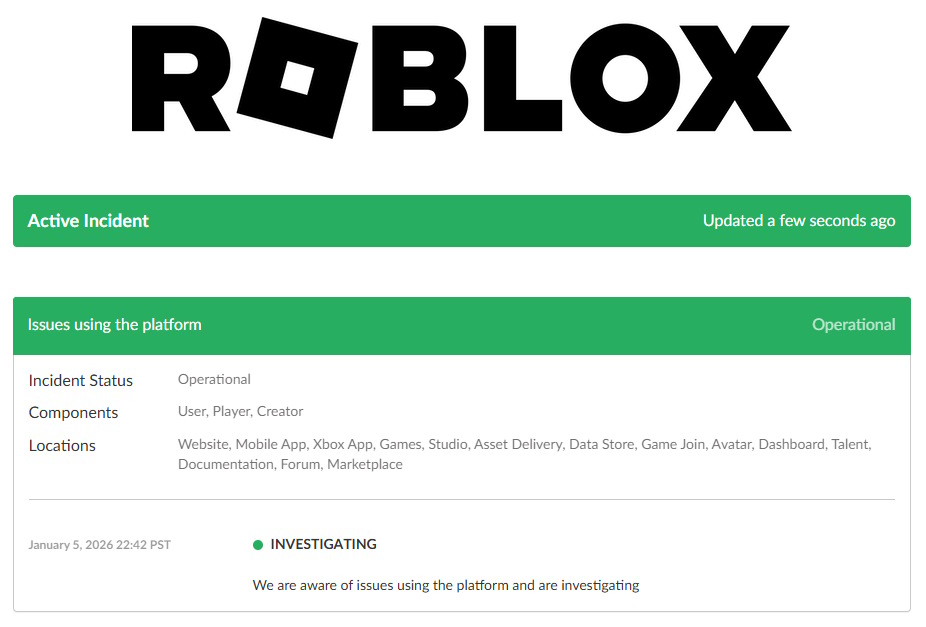
Check the Roblox Server Status
Sometimes Error Code 262 has nothing to do with your PC. Roblox servers can experience outages or maintenance that prevent players from joining experiences.
Roblox recommends checking its official status page when you experience platform or joining issues. So check if Roblox is down before trying to tinker with the settings.
Restart Roblox and Your PC
Close Roblox completely and launch it again. If that does not fix the problem, restart your computer before trying to join an experience again. You should also sign out and log in to your Roblox account. These basic steps can clear temporary connection problems.
Clear Roblox Temporary Files
Corrupted temporary files can cause problems with the Roblox client. Roblox’s own desktop troubleshooting recommends clearing temporary files when dealing with client issues.
Here is how you can clear cache and temp files for Roblox:
- Press Windows + R to open the Run dialog.
- Type %localappdata% and press Enter.
- Open the Temp folder.
- Find the Roblox folder.
- Right-click it and select Delete.
- Restart Roblox and try joining an experience again.

Disable Roblox Extensions and Mods
Third-party Roblox extensions can interfere with the browser or Roblox connection. Try disabling Roblox-related extensions temporarily and then launch the game again.
You should also avoid modified Roblox clients. Roblox says modified versions of the app are not allowed and can cause account or compatibility problems.
Check Your Firewall
Your firewall or antivirus software can sometimes interfere with Roblox’s connection to its servers. Roblox specifically lists firewall restrictions as a possible cause of connection problems.
Make sure Roblox is allowed through Windows Defender Firewall. If you recently installed new security software, check whether it is blocking Roblox to stay away from error code 262.
Close Downloads and Other Network-Heavy Apps
Background downloads can consume bandwidth and make your Roblox connection unstable. Close downloads, streaming services, and other applications using a large amount of network bandwidth before launching Roblox.
Reinstall Roblox
If none of the previous methods work, reinstall Roblox. A fresh Roblox installation can replace corrupted or incomplete files that may be causing Error Code 262. Uninstall Roblox, remove any remaining Roblox files, then download and install the latest official version.
Why Does Roblox Error Code 262 Happen?
Roblox error code 262 usually appears when the connection between the Roblox client and its servers is interrupted. Common causes include an unstable internet connection, Roblox server problems, firewall restrictions, corrupted files, browser extensions, background downloads, or problems with the Roblox client.
If Roblox itself is experiencing an outage, there may be nothing you can do locally. Roblox says joining experiences can become delayed or unsuccessful during platform issues, so waiting for the service to recover is the only option.
Still Getting Roblox Error Code 262?
If Error Code 262 continues after trying all of these fixes, the problem may require Roblox Support to investigate. Provide your username, device model, operating system, error message, and the steps that cause the problem when reporting a technical issue. This may fix user- or server-related issues for you.
And that is how you can fix Roblox error code 262. Is your client fixed to enjoy the best anime Roblox games yet? Let us know in the comments.
Roblox Error Code 262 usually occurs when the connection between your device and Roblox servers is interrupted.
Yes, reinstalling Roblox can fix Error Code 262 if corrupted or incomplete game files are causing the connection problem.