- Players can use private chat in Roblox to message others without worrying about the privacy.
- Click or tap a player's username in the chat to start a private conversation.
- Players can also use the /w or /whisper command to send a private message to a specific player.
Chatting with friends on a public server can get weird, especially when you realize other players in the lobby can read and react to it. Luckily, Roblox has a private chat feature that lets you keep things private. In this guide, we will tell you how to use private chat in Roblox.
What Is Private Chat in Roblox?
Private chat is a feature that lets you send private messages to other players in Roblox while playing an experience. This is useful when you want to talk to a friend without everyone else reading your messages. Follow these steps to start a private conversation inside a Roblox experience:
- Join a Roblox game.
- Open the chat box by pressing the [/] key on PC or tapping the chat icon on mobile.
- Wait for other players or someone to send a message in the chat.
- Click or tap on their username.
- Type your message and press Enter or Send.
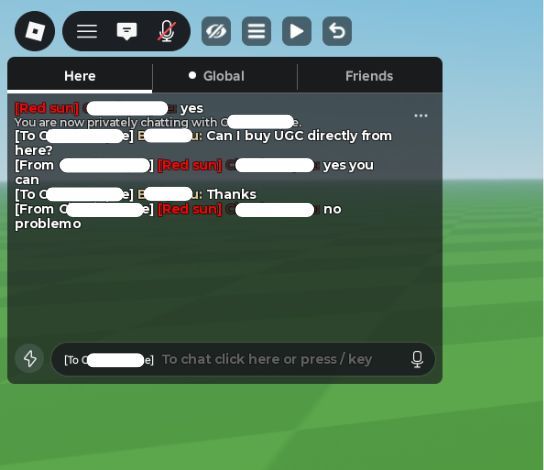
This lets you send a message privately without worrying about privacy. Keep in mind that you need to verify your age on Roblox to text.
How to Whisper in Roblox
You can also use a command to send private messages in Roblox without selecting a username.
- Open the in-game chat.
- Type /w and select /whisper
- Press space and enter the player’s username.
- Add another space and type your message.
- Press Enter or tap Send.
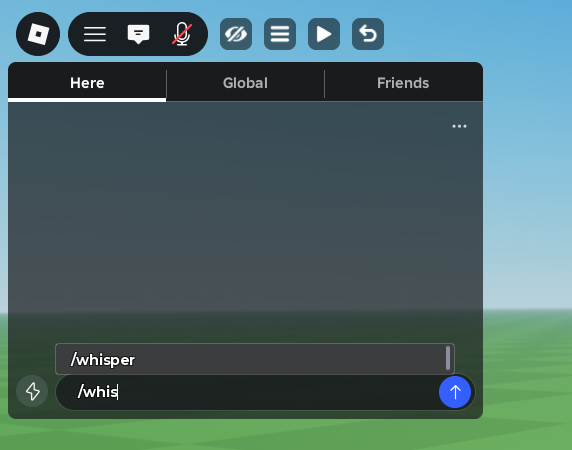
For example, type ‘/whisper Player123 Hello!’ to whisper to that player.
Note: The private chat does not stay in Roblox chat history.
That is how you create private chat in Roblox. Do you think Roblox should make this feature simpler? Let us know in the comments.
Once you start a private chat, only you and the other person you are talking to can see the chat.
Private chats are temporary and will be deleted once you leave or join another experience.