- Players can restart a mission in GTA 6 by opening the pause menu and selecting Restart Mission from the mission panel.
- Select Retry Checkpoint to replay the current section without restarting the entire mission.
- GTA 6 has a separate Quit Mission option, but players can also exit the game to return to free roam.
Sometimes a GTA 6 mission doesn’t go as planned, and you might want to start over or retry a difficult section. Thankfully, Grand Theft Auto VI lets you restart an entire mission or return to your last checkpoint through the pause menu. Here’s how to cancel, restart, or retry a mission in GTA 6 on PS5 and Xbox.
How to Restart a Mission in GTA 6
You can restart an active mission in GTA 6 without waiting for your character to fail an objective. Follow these steps:
- Press Options (PS5) / Menu (Xbox) during an active mission to open the pause menu.
- Look for the mission panel on the right side of the screen.
- Select Restart Mission.
- Confirm your selection to start the mission again from the beginning.

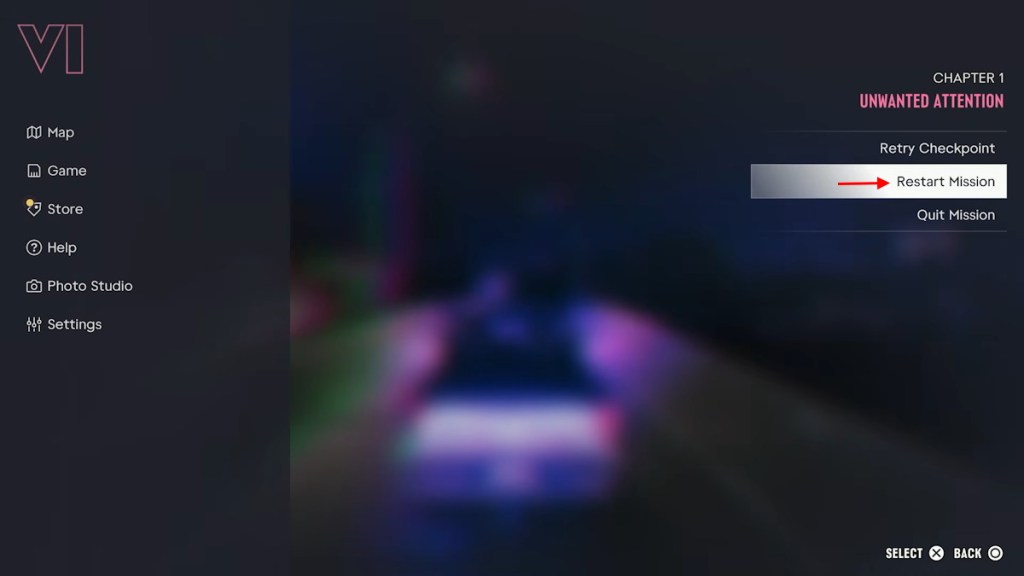
This will take you back to the first section of the current mission, so you will have to complete its objectives again.
How to Cancel a Mission in GTA 6
If you need to improve Jason and Lucia’s relationship and it is important for a better outcome of your current mission, you can cancel it and do the side quests first. Here is how to cancel a mission in GTA 6:
- Press Options (PS5) / Menu (Xbox) to open the pause menu.
- Move the cursor to the mission panel on the right.
- Select Quit Mission.
- Confirm your selection to get back to free roam.
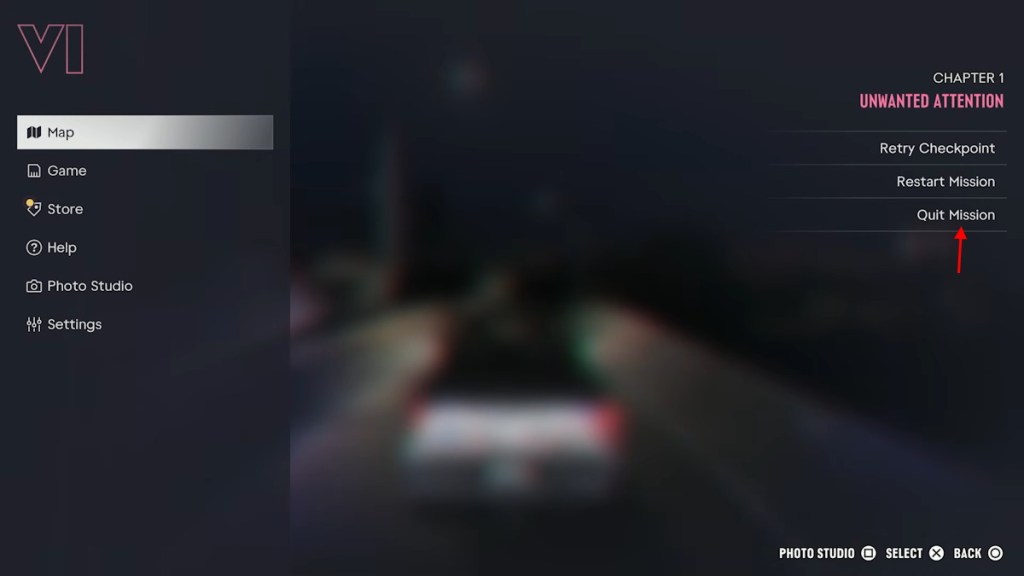
You can also cancel a mission by exiting the game. If you close the game during an active mission, you will return to the open world of the GTA 6 map when you load back in, with the mission ready to start again from the beginning.
How to Retry a Checkpoint in GTA 6
If you are stuck on a particular section, you can retry the last checkpoint without restarting the entire mission. As a lot of players are stuck in a tricky situation stealing the Military jet in GTA 6 early, this trick comes in handy.
Here is how you can retry a checkpoint in GTA 6 without canceling the mission:
- Press Options (PS5) / Menu (Xbox) to open the pause menu.
- Move the cursor to the mission panel on the right.
- Select Retry Checkpoint.
- Confirm your selection to reload the last checkpoint.
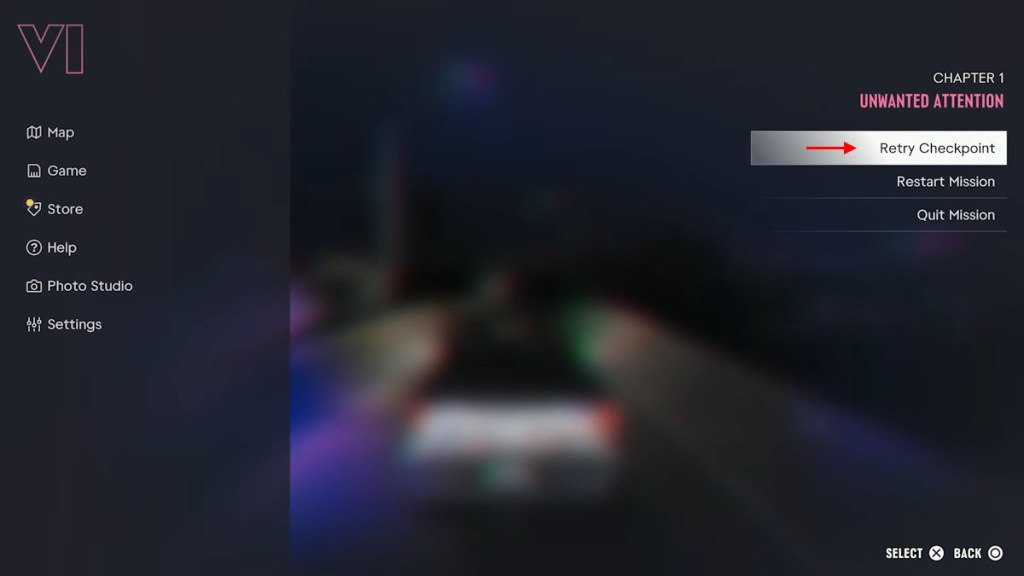
You will return to the beginning of your current section with its objectives and dialogue restored. This is useful when you fail a difficult encounter or make a mistake during a mission.
How to Skip a Checkpoint in GTA 6
GTA 6 also lets you skip certain mission sections after failing an objective. However, this option is only available on the mission failed screen.
When the WASTED/FAILED banner appears, you will see three options:
| Option | PS5 Button | Xbox Button |
|---|---|---|
| Retry Checkpoint | Cross (X) | A |
| Skip Checkpoint | Square | X |
| Restart Mission | Triangle | Y |
Select Skip Checkpoint to move past the current section. Keep in mind that skipping a checkpoint doesn’t always take you past the entire difficult encounter. You might have to fail again and skip another section.
And that is how you can cancel or restart a mission in GTA 6. Did you unlock Lucia in GTA 6 yet? Let us know in the comments.
Yes, you can click the Quit Mission button from the menu to cancel it.
Yes, open the pause menu during a mission, select Restart Mission from the mission panel, and confirm your choice to start over.
You cannot skip entire missions, but you can skip certain checkpoints after failing an objective. Select Skip Checkpoint from the mission failed screen.