The 14th GTA 6 mission in Chapter 1 is Deposit Cash Into BuckMe, where Jason deposits money into his BuckMe account via an ATM. This mission has no map marker, so you’ll need to find it in the quest list in the map menu. Here’s the full walkthrough with tips for the Deposit Cash Into BuckMe mission.
Note: Unlike GTA games in the past, GTA 6 missions do not have Gold Medal objectives.
Here is a step-by-step quick overview of the mission:
| Info | Details |
|---|---|
| Mission Number | GTA 6 Mission 14 |
| Story Chapter | GTA 6 Chapter 1 |
| Mission Type | Mandatory (required for 100% completion) |
| Mission Giver | BuckMe App |
| Protagonist | Jason |
| Location | Key Lento, Mariana County (Any ATM) |
| Unlocked items | – |
| Rewards | – |
Where to Find the Deposit Cash Into BuckMe Mission?

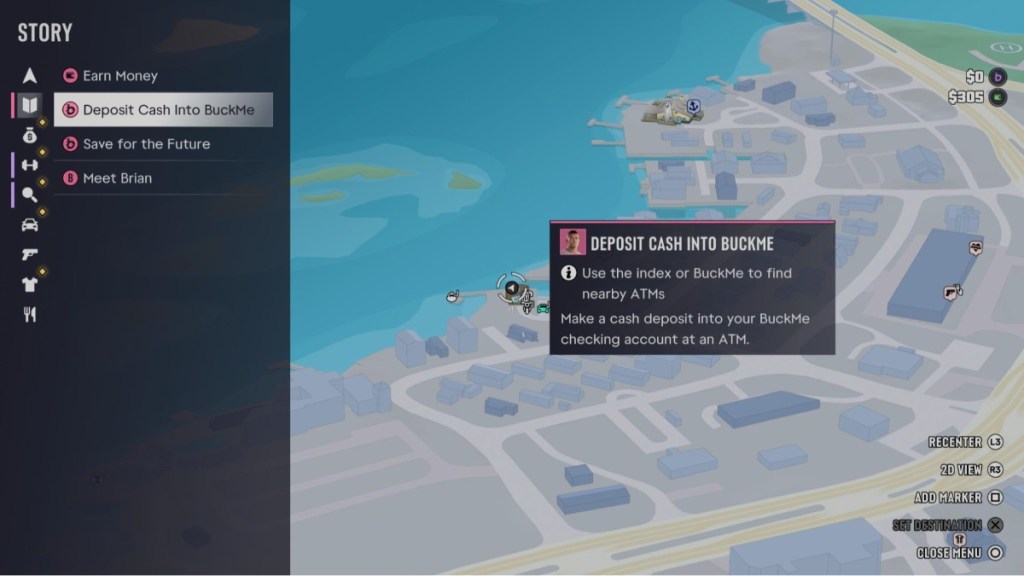
First, make sure you’ve completed the BuckMe mission in GTA 6. Only then will you gain access to the app. After completing Clean Up After Donnie in GTA 6, open the quest list on the map menu by pressing the right D-pad button on the book icon to check the mission. Start it by going to any ATM on the GTA 6 map.
GTA 6 Deposit Cash Into BuckMe Mission Walkthrough
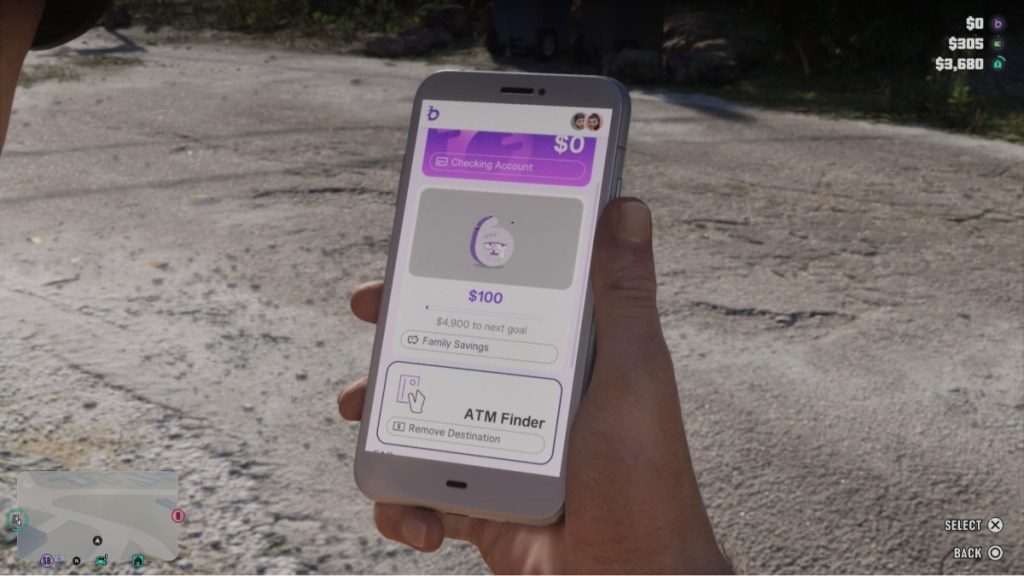
Use the BuckMe App to Find a Nearby ATM
Here’s how you can find a nearby ATM:
- Open the BuckMe app on Jason’s GTA 6 phone by pressing the up D-pad button.
- Move down and select “ATM Finder” inside the app in GTA 6.
- This will mark the ATM closest to your location, and once it does, go there.
Deposit Money Into Your BuckMe Account At the ATM
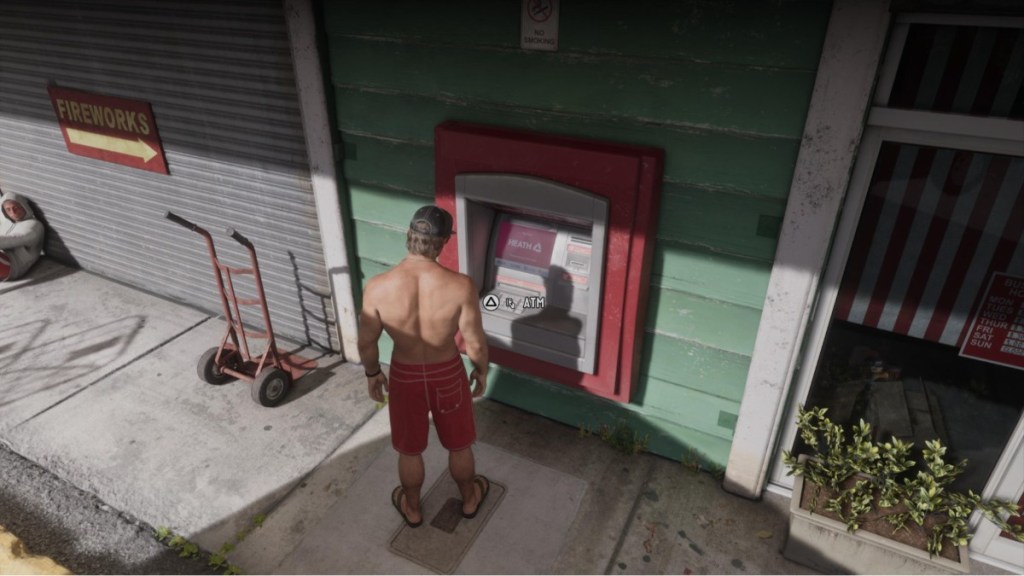
- Press Triangle/Y on your controller near the ATM to interact with it.
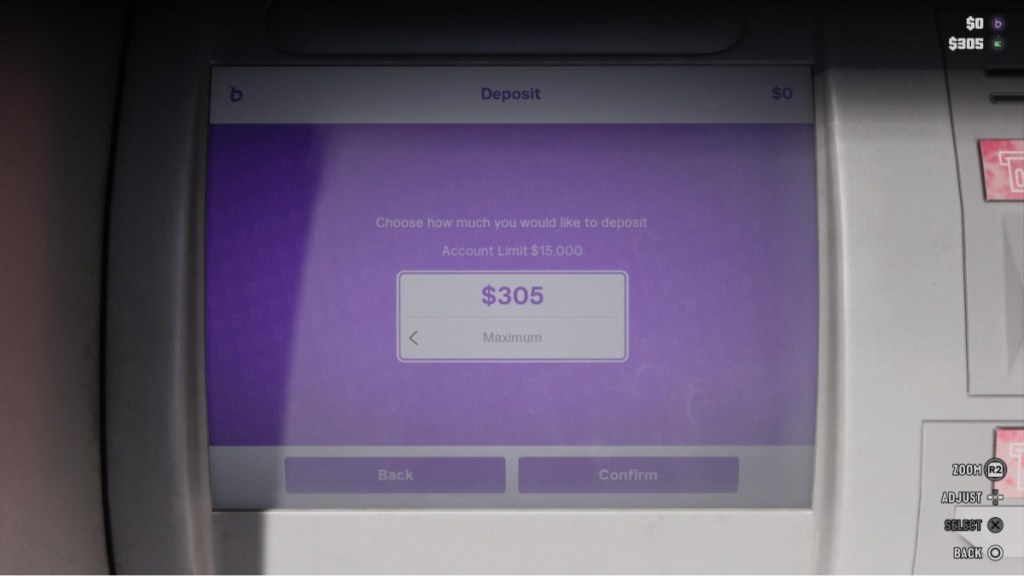
- Select “Deposit” from the given options.
- Choose the amount you want to deposit in your BuckMe account.
- Press “Confirm” to complete the transaction, and the money will be deposited into your account immediately.
Important Tips for Managing Your BuckMe Account
Managing your BuckMe account is important in GTA 6, as the money you deposit can come in handy when you run out of cash. So, here are some essential tips you must remember:
- Deposit and withdraw money from your BuckMe Checking Account at any ATM marked on the map.
- The money you transfer from your Checking Account to your Family Savings Account can never be withdrawn or lost.
- Each BuckMe savings tier increases your Checking Account limit, while some tiers unlock new perks such as discounts on items and services. Keep saving and hitting Family Savings goals.
- When you reach your Checking Account Limit, spend money or transfer it to your Family Savings Account to prevent incoming deposits from being held.
- Since vendors don’t accept pocket cash for purchases over $999, BuckMe automatically covers any transaction worth $1,000 or more, which is why we recommend depositing your money regularly.
- There’s little reason to carry pocket cash, as BuckMe automatically covers all purchases if your cash balance reaches $0. Additionally, you lose all your pocket cash when you die, but only a portion of your Checking Account balance. So it’s better to carry your money in your BuckMe account, especially if your playstyle is risky.
Once it’s done, the mission will conclude, and you can carry on with other activities in GTA 6. That said, how much money have you deposited into your BuckMe account? Tell us in the comments section.