Slayers 2 is one of the most popular Demon Slayer-inspired Roblox games, especially for fans of Project Slayers. With players already looking into more details about the clans, Demon Arts, Breathing Styles, and other systems, the official socials are useful places to keep up with the game. Here is the Slayers 2 Discord server link and everything you need to know about its Trello board.
Official Slayers 2 Discord Server Link
You can join the official Slayers 2 Discord server using the invite link here. The server is the main hub for Slayers 2 players, with channels covering announcements, updates, development news, events, and community information.
The announcements and sub-announcements channels are where you can keep up with important game news and updates. You must check the announcements channel as it is used by the developers for codes.
If you don’t want to keep tracking them, follow our Slayers 2 codes guide instead. In the official Discord of Slayers 2, you will also find an information section, along with an FAQ, rules, and verification channels for new and existing members.

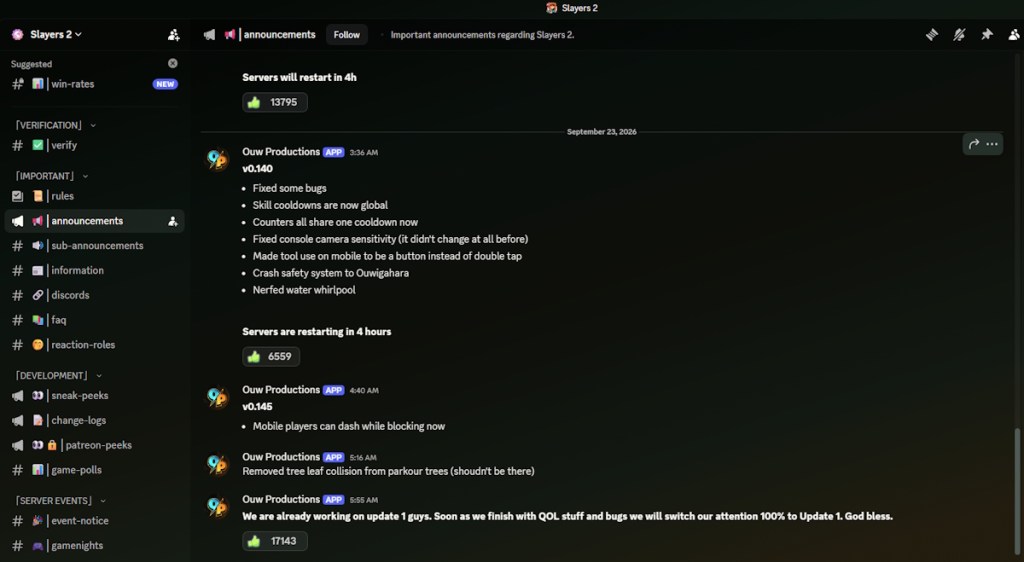
If you want to follow the game’s development, the server has dedicated sneak-peeks, change-logs, and Patreon peeks channels. You can also find game polls and win-rate discussions.
The server also has a server events section with event notices and game nights, giving players a place to keep track of community events. You can also use the reaction roles channel to customize your Discord roles.
Official Slayers 2 Trello Board Link
At the time of writing, Slayers 2 does not have a confirmed official Trello board. While the original Project Slayers had its own Trello, it should not be treated as the official Trello for the sequel.
If you are still looking for a Slayers 2 clan tier list or the best Demon Art and Breathing Styles, we have dedicated guides for them. If you want more information about the game, check the official Slayers 2 game page.
So, these are the Slayers 2 Discord and Trello links. Which one are you looking for, and why? Share with the community in the comments below.